Accessing the Opus server
The Opus server can be access using secure transport protocols such as SSH and SFTP. Access is only allowed from campus networks. All off campus users will need to access Opus using FDU’s Virtual Private Network (VPN) to use the Opus server
What’s SSH?
SSH stands for Secure Shell, which was invented in 1995 to replace the insecure Telnet (Telecommunication Network). It’s now the primary way for system administrators to securely log into remote Linux servers over the public Internet. Although it looks and acts the same as Telnet, all communications over the SSH protocol are encrypted to prevent packet sniffing.
Linux / Mac
If you are running a Linux or Mac computer, SSH client is installed by default. You can open up a terminal window and run the ssh command like below to connect to a remote Linux server.
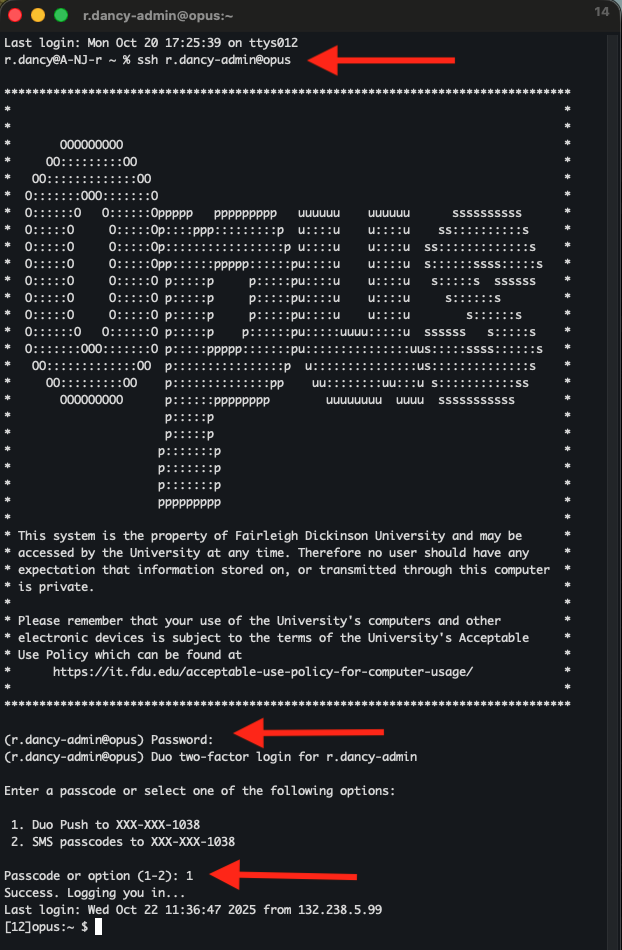
ssh username@opus.fdu.eduor
ssh username@132.238.2.116
After your initial login, you’ll be prompted for multi-factor authentication (MFA). Enter the passcode from your Duo app or enter the on-screen number to initiate Duo Push.
Now let’s discuss how to use SSH on Windows.
Windows
Method 1: Windows 11’s Built-in SSH Client
The Microsoft PowerShell team decided to port OpenSSH (both the client and the server) to Windows in 2015. It finally arrived in Windows 10’s Fall Creator Update in 2017 and is enabled by default in the April 2018 Update.
To use the OpenSSH client on Windows 11, simply open a PowerShell window or a command prompt window and run the ssh command. For example, if I want to connect to the Opus Linux server on the FDU network, I would run
ssh username@opus.fdu.eduusername on FDU Linux servers will be the part of your FDU NetID to the left of the @ sign (username@fdu.edu becomes just username) and opus.fdu.edu is name the Linux server you want to access (The IP address of the Linux server can also be used). The first time you connect to a Linux computer, you will be prompted to accept the host key. Then enter your password to login. After login, you can run Linux commands to do tasks.
Note
If you want to paste a password into the PowerShell window, you need to right-click the mouse and press Enter.
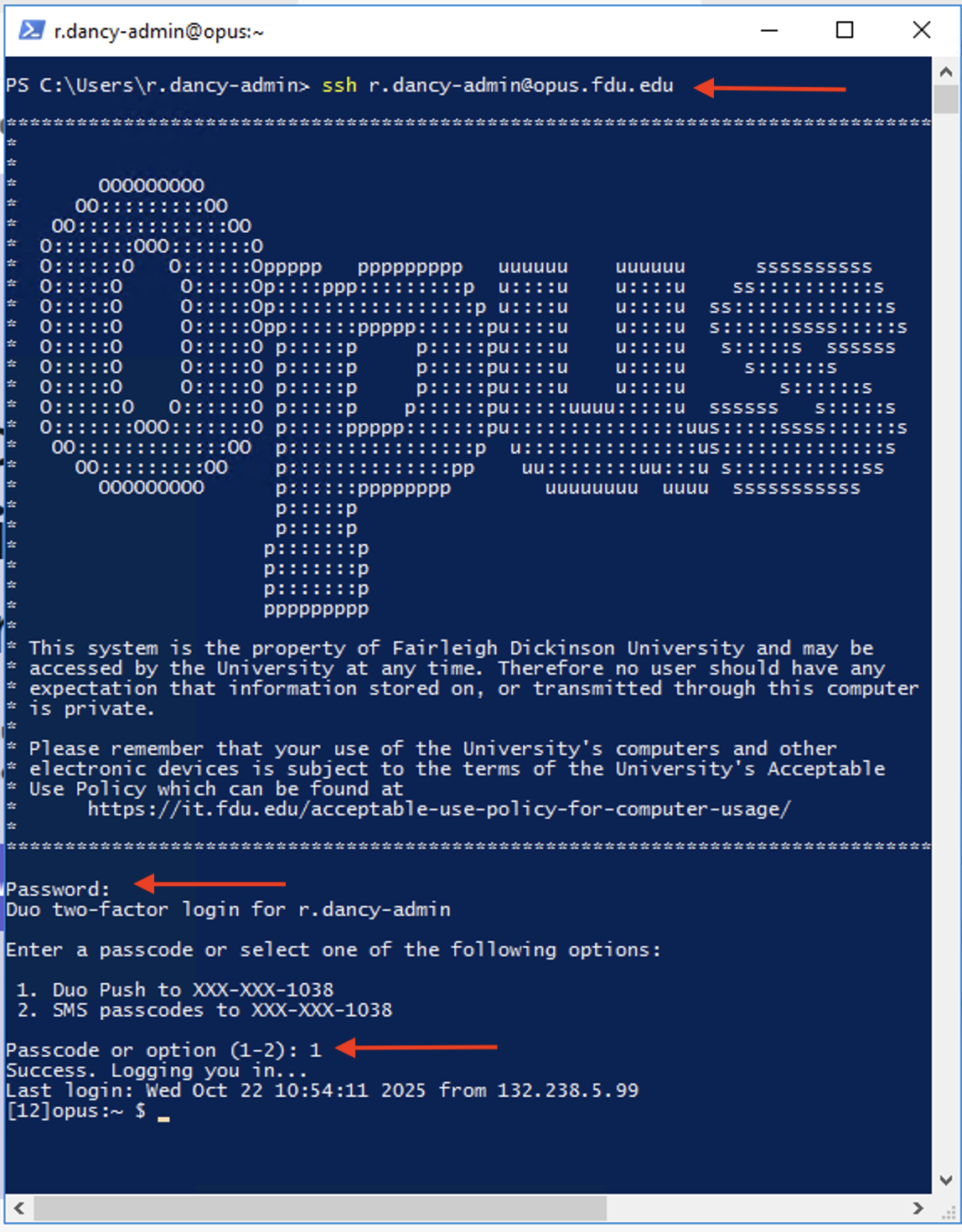
After your initial login, you’ll be prompted for multi-factor authentication (MFA). Enter the passcode from your Duo app or enter the on-screen number to initiate Duo Push.
To log out from the Linux box, run the “exit” command or press “Ctrl+D“.
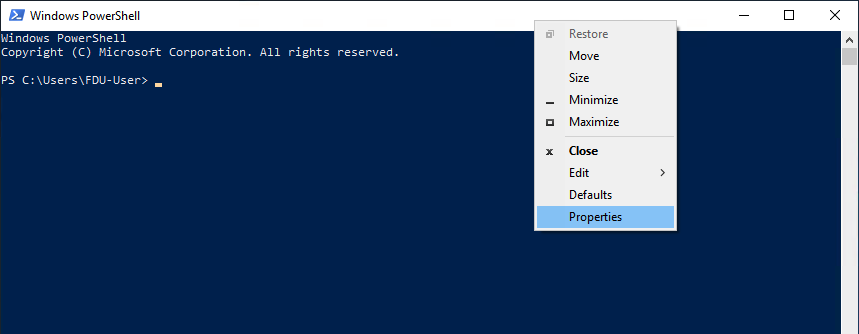
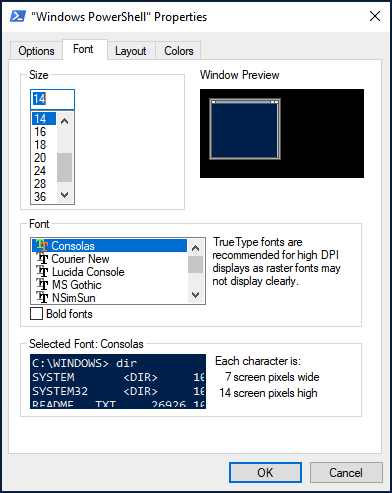
The default font size in PowerShell Window is very small. To change it, right-click the titlebar and select properties, then you can change the font size, and the background color.
Method 2: Use SSH in Windows Subsystem for Linux
Windows Subsystem for Linux (WSL) enables you to run native Linux command-line tools directly on Windows 11. If you are a system administrator, WSL is probably an overkill for just using SSH because it would install and run a Linux distro (without graphical user interface) on your Windows 11 desktop. WSL is created for web developers or those who need to work on open-source projects. You can use not only SSH but also other Linux command line tools (Bash, sed, awk, etc).
Open the Microsoft Store and enter “WSL” in the search box. Select Run Linux on Windows and install a Linux distro of your choice.
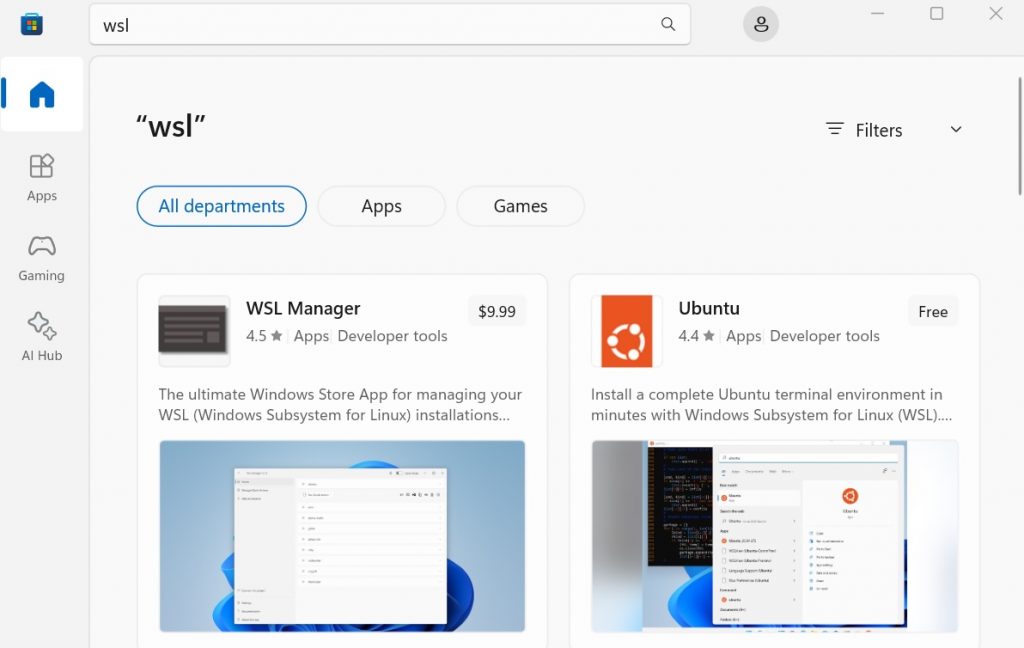
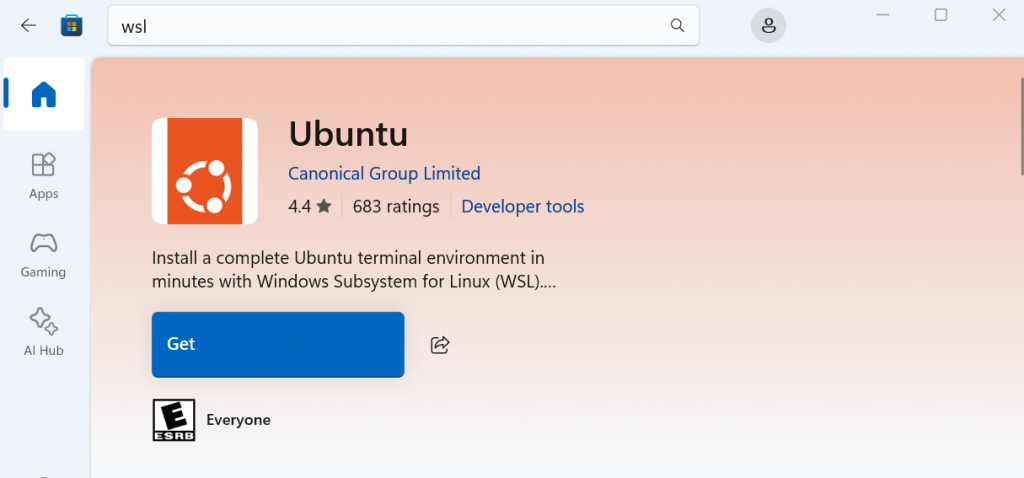
For example, I choose “Ubuntu” and click the “Get” button to install it.
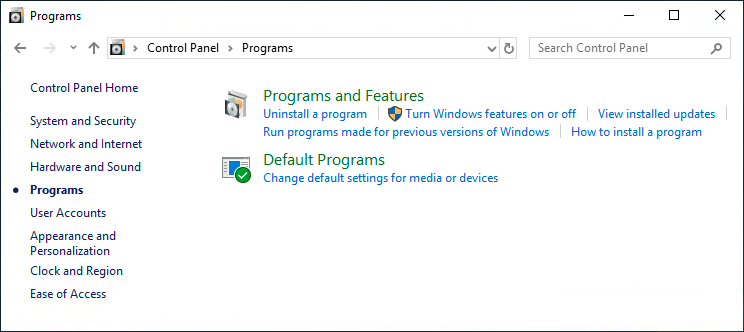
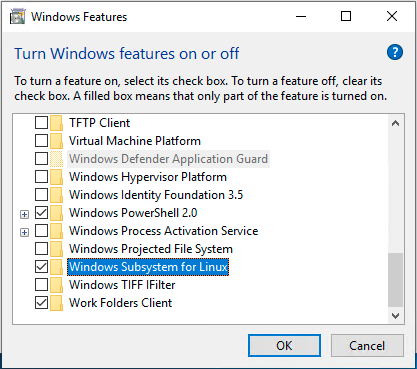
Once your Linux distro is installed, open the Control Panel and select Programs => Turn Windows features on or off. Tick on the checkbox of Windows Subsystem for Linux to enable this feature. (You may need to reboot your Windows PC for this change to take effect.)
Next, you can launch the Linux distro from the start menu by search the distro’s name. The first time you launch it, you need to create a user and set a password.
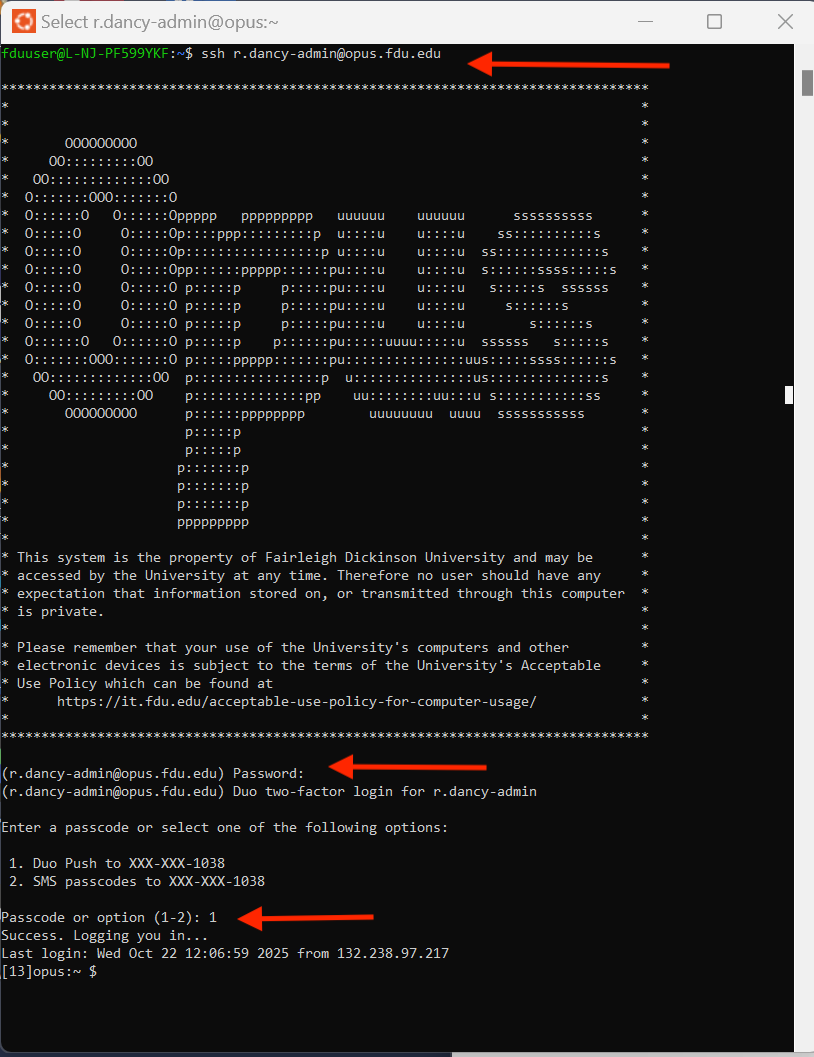
After that, you can use the ssh command like below to connect to a Linux server or PC that runs a SSH server.
ssh username@opus.fdu.edu
After your initial login, you’ll be prompted for multi-factor authentication (MFA). Enter the passcode from your Duo app or enter the on-screen number to initiate Duo Push.
Method 3: Use Putty
Putty is a well-known and the most popular SSH client on Windows before the arrival of Windows OpenSSH client and Windows Subsystem for Linux. To use SSH with Putty, you need to download the Putty program from the official website and install it.
Launch Putty from the Start menu. Then enter the IP address or hostname of the Linux box and click the Open button to connect to it.
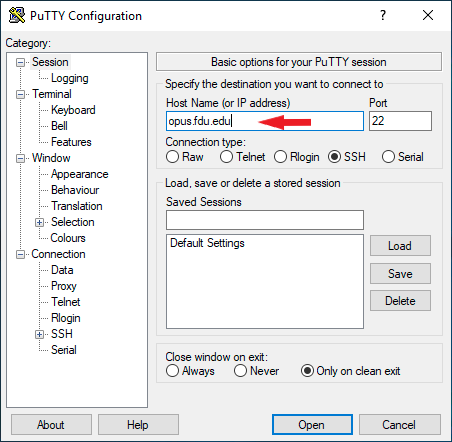
Accept the host key and you will be prompted to enter the username and password.
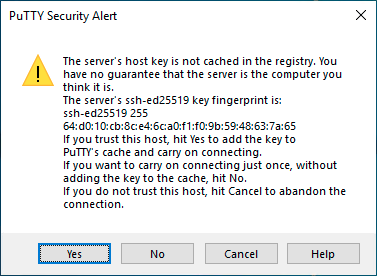
After your initial login, you’ll be prompted for multi-factor authentication (MFA). Enter the passcode from your Duo app or enter the on-screen number to initiate Duo Push.
Tip
When you type in your password, the cursor doesn’t move, but it’s actually accepting your password. To paste text into Putty, first press Ctrl+C to copy the text, then go to Putty window and press the right-button of your mouse.
 Feedback
 Copy Link